 EarFret
Press kit
About EarFret
EarFret helps guitar and bass players master their instrument: unlock the whole neck, understand the theory behind what they play, and train their ears, a few minutes a day. Answers are played on a real instrument. EarFret plays a note, an interval or a melody, names a note or asks for a shape, and listens through the microphone, on the device, to say right away whether the player got it, and if not, how close they were: one fret too high or low, the right note in the wrong octave, or exactly what they played instead. It picks out the new note even while other strings are still ringing, so players can play naturally.
Spaced repetition tracks every note and string separately and brings each back just before it would be forgotten, so a short daily session keeps the whole neck fresh. Away from the guitar, practice continues: tap-to-answer No instrument mode, quizzes on Apple Watch and in notifications, and Listen, hands-free ear-training programmes for the commute where the player says each answer out loud and hears “Right!” or “Not quite”, recognised on the device. A guided tuner and a 12th-fret intonation check are built in and free. EarFret runs on iPhone, iPad, Mac and Apple Watch, has no account, collects no data, and has a free tier with an optional EarFret Pro upgrade.
Facts
| App | EarFret |
|---|---|
| Developer | Abizander Software |
| Platforms | iPhone and iPad (iOS/iPadOS 17 or later), Mac (macOS 14 or later), Apple Watch companion (watchOS 10 or later), widgets for iPhone, iPad and Mac |
| Languages | English plus 21 others: Chinese (Simplified and Traditional), Czech, Danish, Dutch, Finnish, French, German, Indonesian, Italian, Japanese, Korean, Norwegian, Polish, Portuguese (Brazil), Russian, Spanish, Swedish, Turkish, Ukrainian, Vietnamese |
| Launch | Coming soon to the App Store; public TestFlight beta open now |
| Current build | Version 0.1.10 in TestFlight (iPhone, iPad, Apple Watch and Mac) |
| Instruments | Guitar (6, 7, 8 strings), bass (4, 5, 6), ukulele, mandolin, banjo, guitarlele, custom tunings (3 to 8 strings), voice; left-handed neck |
| Price model | Free download. Free tier: every fretboard drill on standard guitar or 4-string bass (natural notes), Match the Note, the tuner, guided tuner and intonation check, progress and reminders, a 5-minute Listen taster, Riff Recorder keeping up to 3 riffs, and Scale Practice with the pentatonic scales in standard tuning. EarFret Pro: a yearly subscription with a free trial, or a one-time lifetime purchase. One purchase covers iPhone, iPad and Mac; Family Sharing supported. |
| Privacy | No accounts, analytics, ads or tracking (App Store label: “Data Not Collected”). Microphone audio is analysed on the device and never recorded; spoken answers and voice commands use on-device speech recognition only. Sync uses the player's own private iCloud. |
| Website | earfret.com |
Features
- Answer by playing: every drill can be answered on a real guitar or bass (acoustic or electric), by singing, with a MIDI keyboard or MIDI guitar, or by tapping. Detection runs on the device and hears a new note over strings that are still ringing.
- Near-miss feedback: one fret too high or low, right note in the wrong octave, or the note actually played. A slightly out-of-tune note still counts as the fret played.
- Fretboard memorization: find a note on a string (hunt around, then pluck it again to answer), name the note at a marked spot, find every position, Every Spot (each position, string by string), octave shapes, 60-second challenges and a daily challenge, Note Path (a staged route with a placement test), and a heat map.
- Spaced repetition per note and string, from same-session retries out to months, with Guided practice (pick 5 to 30 minutes and it chooses the drills, with the reason for each), a coach that suggests weak or stale topics, a streak with a built-in rest day, and a weekly report.
- Ear training: play back notes, intervals and melodies; name intervals, chords, progressions, scales and scale degrees by ear; pitch memory; sing intervals.
- Listen: hands-free ear-training programmes (5, 10 or 20 minutes: Intervals, Chord Sounds, Up or Down?, Scale Degrees, Major or Minor?). Keeps playing with the screen locked, with AirPods and Lock Screen controls, and starts from CarPlay (answers in the player's head there: the car's microphone is never used); the player answers out loud and hears “Right!” or “Not quite”, recognised on the device (the app's 22 languages, where the device supports on-device recognition). A 5-minute Up or Down? taster is free.
- Scale Practice: any scale or mode, one position at a time across the whole neck, with the next note lit as it's played; patterns in 3rds and groups of 3 or 4; a click with a speed trainer that raises the tempo after clean, steady runs; and a Scale Positions drill played from memory. The pentatonic scales are free.
- Riff Recorder: play a riff and get it written as tab for the player's instrument and tuning, on the device; fix any note by tapping it, play it back at any speed with a playhead, practice it phrase by phrase, and keep riffs in iCloud. Free keeps 3 riffs; Pro keeps any number and shares them as text tab, MusicXML or PDF. The sound is deleted as soon as the tab is written.
- Theory on the neck: triads and inversions, interval shapes, scale explorer, chord library, circle of fifths, and mic-checked scale runs, arpeggios, CAGED shapes and chord tones over progressions; 13 lessons drawn on the player's own instrument.
- Rhythm and reading: tap or play rhythms back, read them, identify tempo, meter and swing; read notes on the staff and sight-read melodies.
- Tuning: a guided string-by-string tuner, a prompt when notes keep coming in flat or sharp, and an intonation check (open string vs 12th fret: Good, Slightly off or Needs a setup, with before and after). Free.
- Tools: a metronome one tap away on every screen that keeps time through drills without being mistaken for the player's notes, drone, backing tracks in six styles, printable fretboard maps (PDF), practice journal and routines.
- No instrument mode (tap to answer; tapped notes still sound), hands-free mode with spoken questions and on-device English voice commands, and reminders at set or random times, including quick quizzes answered right from the notification and ear-quiz reminders.
- Apple Watch: quick quizzes on the wrist (notes on the neck, intervals, notes in chords, keys, plus listen-and-answer ear quizzes with sound: Chord Sounds, Name the Interval, Up or Down?, Which Is Bigger?), 5, 10 or 20 questions; follows the iPhone's instrument, tuning and hand; answers count toward the streak and reviews on iPhone.
- Apple platforms: iPhone, iPad, Mac, Apple Watch, Practice and Skills widgets (Home Screen, Lock Screen, Mac, and the CarPlay dashboard on iOS 26), Siri and Shortcuts, Game Center, iCloud sync.
Icon and screenshots
Free to use in coverage of EarFret. Screenshots are full resolution, straight from the app.
 App icon1024 × 1024 PNG, 0.6 MB
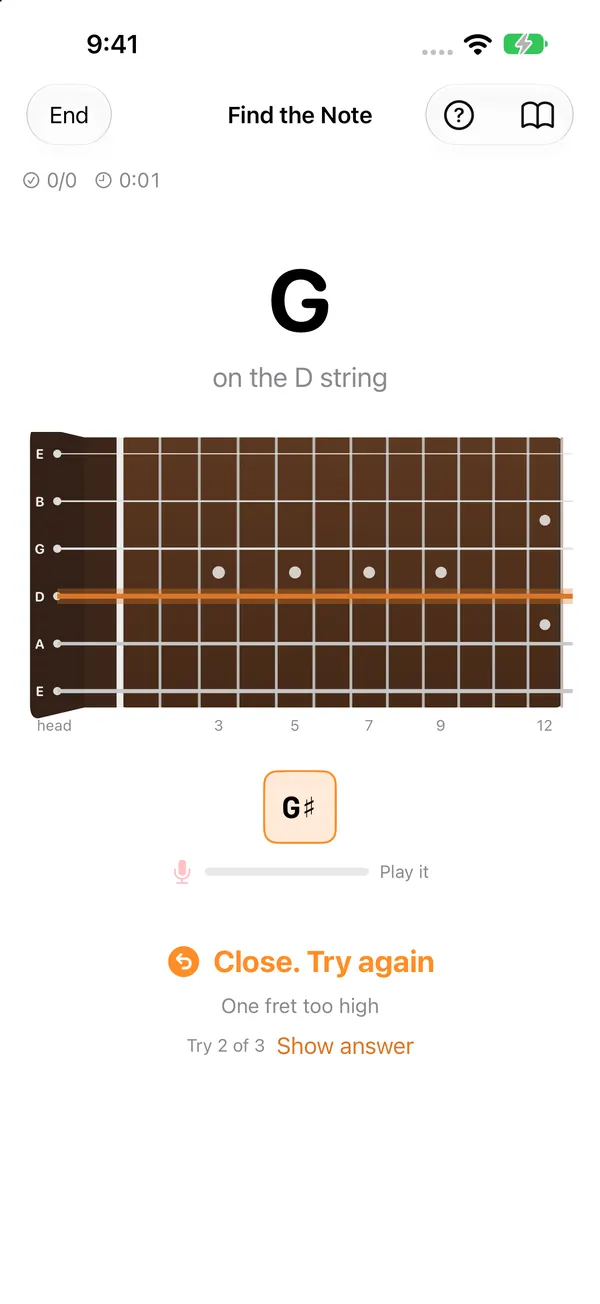 iPhone and iPad15 screenshots, ZIP, 5.1 MB
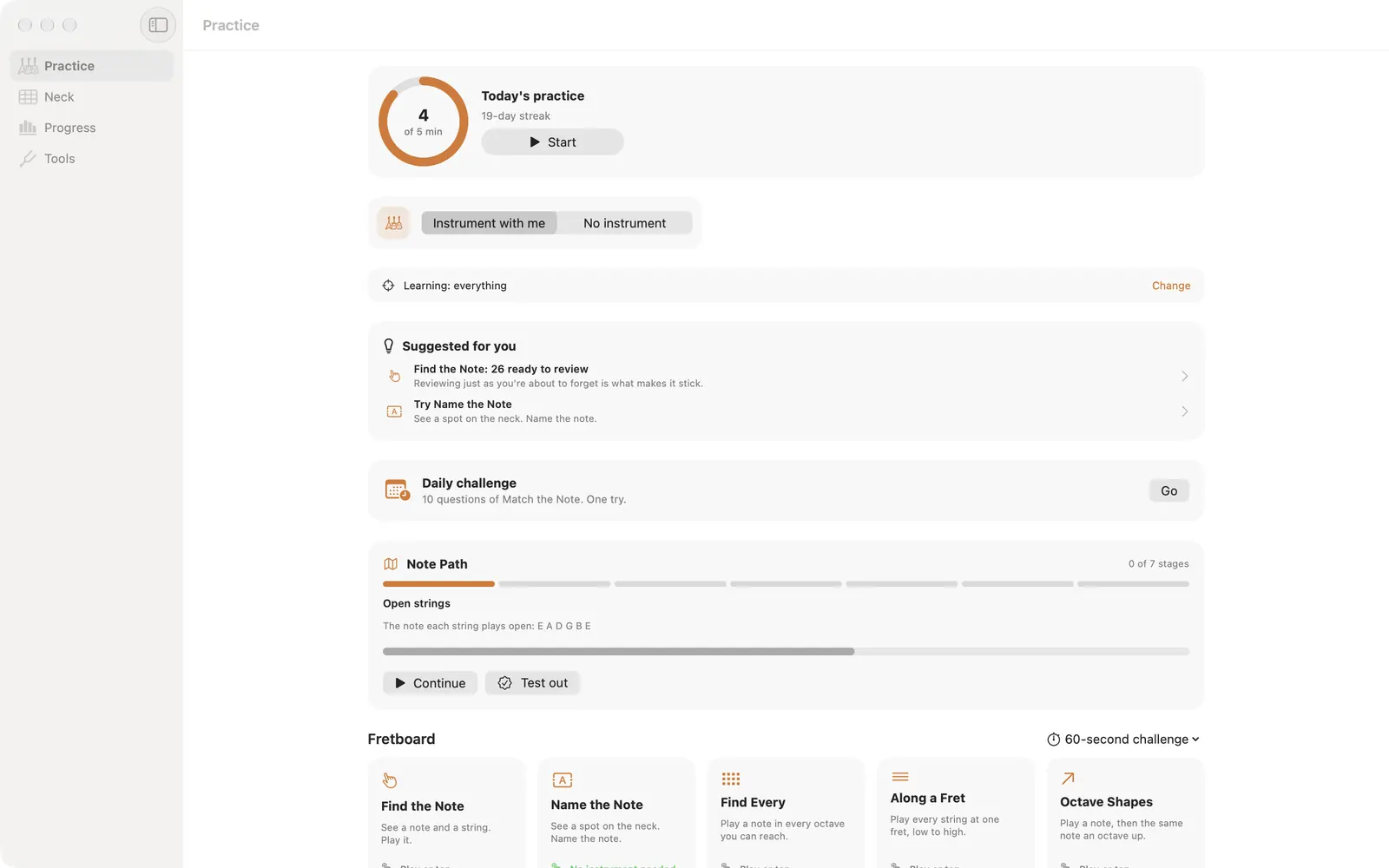 Mac5 screenshots, ZIP, 1.9 MB
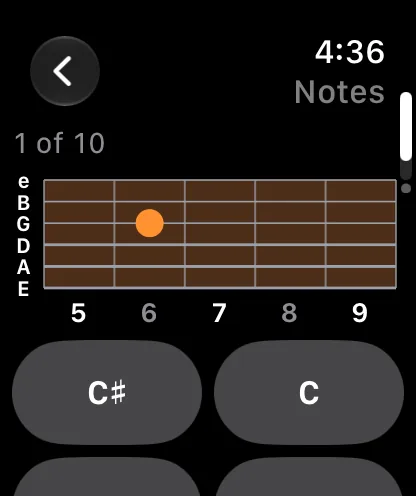 Apple Watch5 screenshots, ZIP, 0.1 MB
Contact
For press questions, review copies or a TestFlight invite: [email protected].