 EarFret
Unlock the neck
Stop counting frets. Find any note on any string straight away, then every place it lives, until the whole neck feels like home. A heat map shows what you already know and what to work on next.
Unlock the neck, understand the theory and train your ear, a few minutes a day. Play your answers on your own guitar and EarFret tells you at once whether you got it, and if not, exactly how close you were. Away from the guitar? Keep going on your phone, your wrist or your headphones.
Free to download. iPhone, iPad, Mac and Apple Watch. No account, nothing collected: private by design.
Three things that hold most players back, worked on together, so what you learn shows up the next time you pick up the guitar.
Stop counting frets. Find any note on any string straight away, then every place it lives, until the whole neck feels like home. A heat map shows what you already know and what to work on next.
Know why a chord or a solo works. Intervals, triads, 7th chords, scales and CAGED shapes become shapes under your fingers that you can use in a song, not facts you memorised once and forgot.
Play what you hear. Hear an interval, a chord or a short melody and find it on the neck, so working out a riff or jamming with friends stops being guesswork.
Most fretboard apps have you tap a screen. With EarFret you answer on the guitar itself, so what you learn ends up in your hands and ears, not just your eyes.

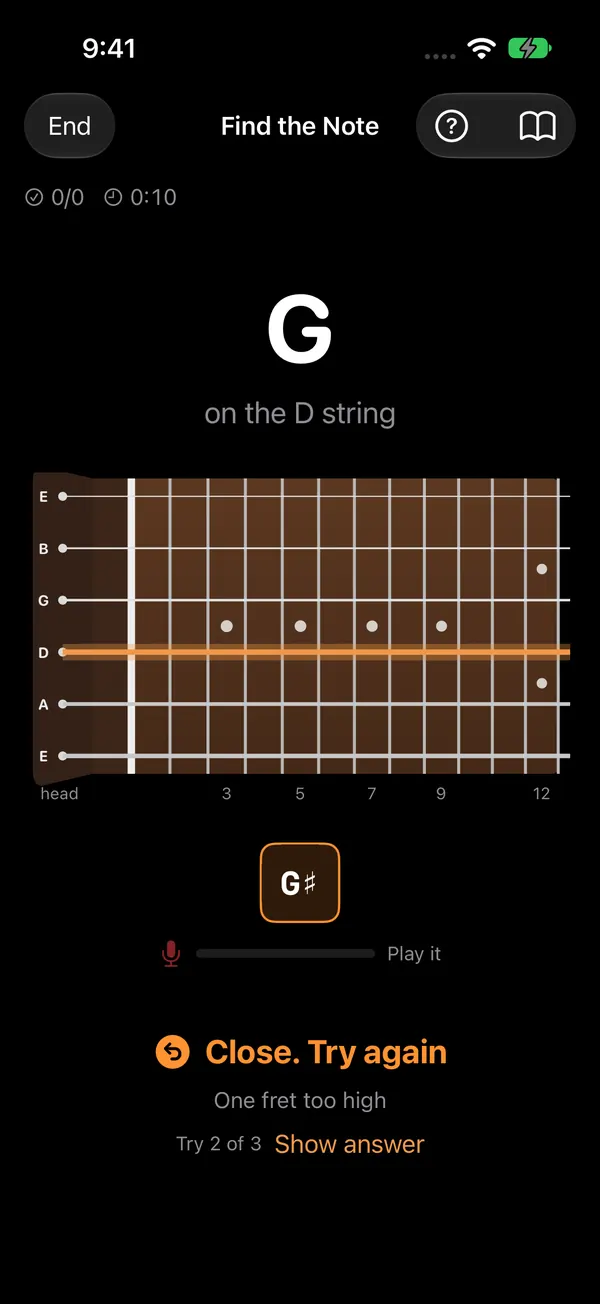
EarFret plays a note, an interval, a melody or a chord, or shows you a note name or a shape to find.

Answer on your guitar or bass, acoustic or electric, or sing it. Every note you play lights up on the neck.

Right away, on the neck: what you played, how close it was ("one fret too high", "right note, wrong octave"), and where the answer is.
The listening happens entirely on your device. No audio is ever stored or sent anywhere.
A real session on iPhone, sped along by a script. It starts silent: press Sound on to hear the voiceover and the notes. In the app you play on your own guitar.
What EarFret does that a flashcard app or a chart on the wall can't.
You learn on the instrument you'll actually play. Miss, and it tells you how: one fret too high or low, the right note in the wrong octave, or which note you played instead. A guitar that's slightly out of tune still gets credit for the right fret.
No need to mute every string between notes. EarFret picks out the note you just played even while others are still ringing, so you can play shapes and runs the way you would in a song.
EarFret remembers every note and string on its own and brings each back just before you'd forget it: missed ones the same session, solid ones days or months later. Five minutes a day keeps it all fresh, without drilling what you already know.
Turn spare minutes into practice: tap answers on the train, take a quiz on your Apple Watch, answer a question right in a notification, or put on a Listen programme for the drive. It all counts toward the same progress.
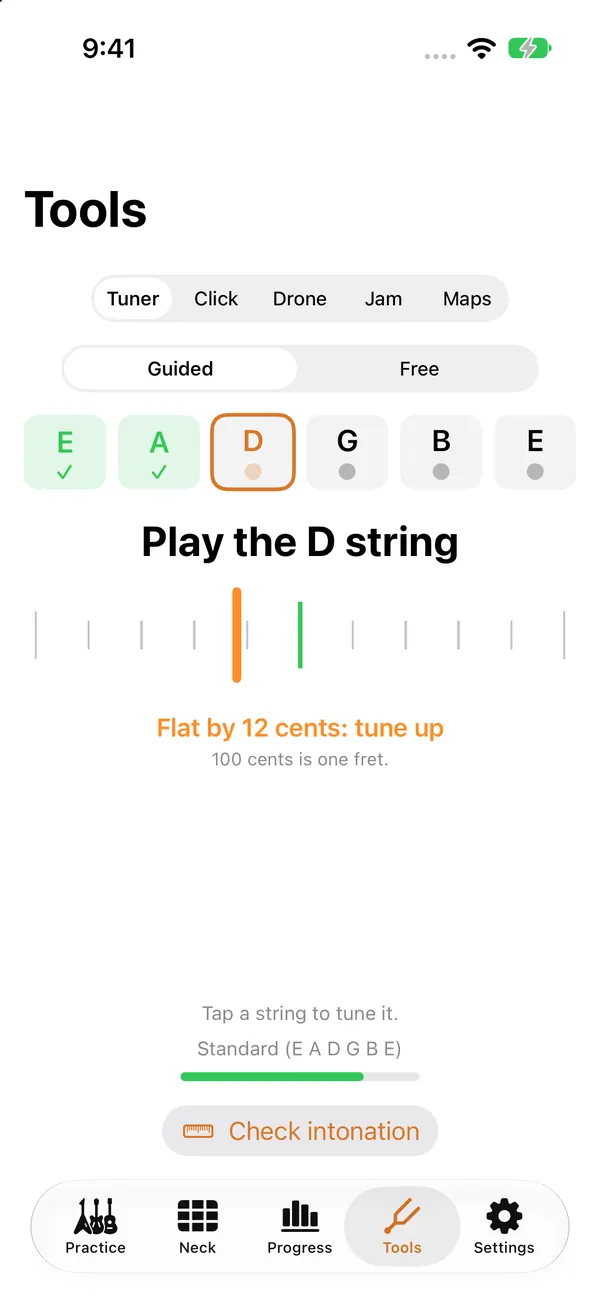
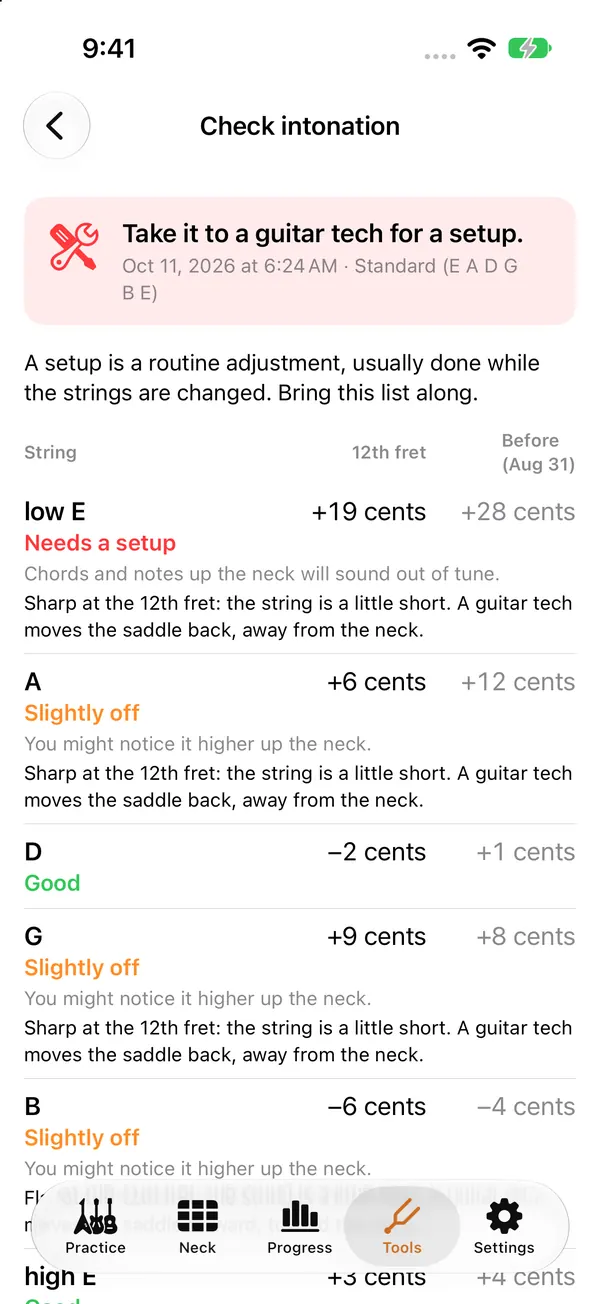
Tune string by string with plain “tune up” or “tune down” guidance, get a nudge when your notes start coming in flat, and check your intonation at the 12th fret to know when the guitar needs a setup. All free.
No account, no ads, no tracking. Your playing and your spoken answers are understood on your device and never saved or sent. Progress syncs through your own iCloud. On the App Store: “Data Not Collected”. How we protect your privacy
Guitar with 6, 7 or 8 strings, bass with 4, 5 or 6, ukulele, mandolin, banjo and guitarlele, each with its own sound. Alternate and custom tunings, and a left-handed neck.
EarFret Pro covers your iPhone, iPad and Mac, your progress follows you between them, and Family Sharing is included.
English and 21 more, from Japanese and Korean to German, Spanish, Portuguese and Ukrainian, including the spoken questions in Listen.
37 drills across the fretboard, the ear, theory, reading and rhythm, with short lessons that start from zero. Pick one, or press Start and EarFret mixes what you're learning.
Triads in every inversion, 7th chords, interval shapes, CAGED shapes, scale runs and chord tones over a backing track, drawn on your own tuning and checked note by note as you play them. Theory turns into things you can use in a solo.

Find a note on a string, then every place it lives. Every Spot walks you through each one, string by string; Along a Fret and Octave Shapes link them up.
Hear a note, an interval or a short melody and play it back. Name chords, progressions, scales and scale degrees by ear, or sing intervals.
Read notes on the staff and play them. Tap or play rhythms back, read them, and feel tempo, meter and swing.
Not sure where to start? Note Path takes you from the open strings to the whole neck one stage at a time. Already know some? Test out and skip ahead.
How many can you get in a minute? Beat your best and climb the Game Center leaderboards, plus a fresh daily challenge with one try a day.
A metronome, a drone, backing tracks in six styles to jam over, and fretboard maps you can print.
The Practice widget shows your streak and what's due; the Skills widget shows how your neck, theory and ear are coming along. On your Home Screen, Lock Screen, Mac desktop, and the CarPlay dashboard with iOS 26.
Thirteen short lessons, drawn on your own instrument and with sound, explain each idea before you drill it. Every drill has a ? button that shows what to do.
Use the built-in mic, an audio interface (pick the input channel) or a MIDI keyboard or guitar. Name notes in letters, solfège or your own system.
Ear training with no screen and no instrument, for the drive, a walk or the dishes. Pick 5, 10 or 20 minutes; EarFret asks, plays, and you say your answer out loud.
Try it free: a 5-minute Up or Down? session is included for everyone. The rest of Listen is part of EarFret Pro. Rather not speak? Turn off Answer out loud and answer in your head.
Then the next question, hands-free, until the programme ends.
A guitar that's drifted out of tune makes right notes sound wrong. EarFret helps you fix that in a minute, and tells you when it's time for a setup.
Came up with something you don't want to forget, or worked out a lick by ear? Play it once and EarFret writes it down as tab for your instrument and tuning.
Free: keep up to 3 riffs. With EarFret Pro, keep any number and share them as text tab, MusicXML or PDF. Works on guitar (6, 7 or 8 strings), bass, ukulele, mandolin and banjo.
e|--8--5-----------------|
B|--------8--5-----------|
G|--------------7--5-----|
D|--------------------7--|
A|-----------------------|
E|-----------------------|
Tap a note to fix it, then save, practice or share.
Turn the moments in between into practice: in line, on the bus, waiting for the kettle. Find notes on the neck, work out intervals, or hear a chord and tap major or minor. The Watch uses the same instrument, tuning and hand as your iPhone, and every answer counts toward your streak and reviews.
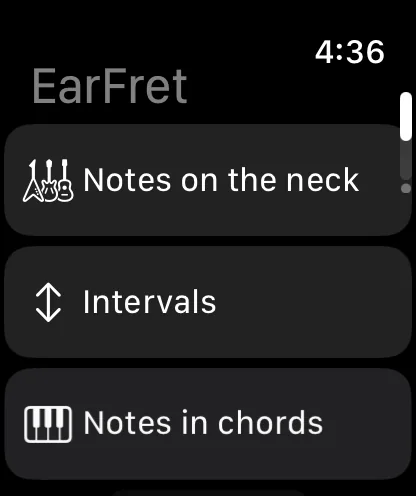
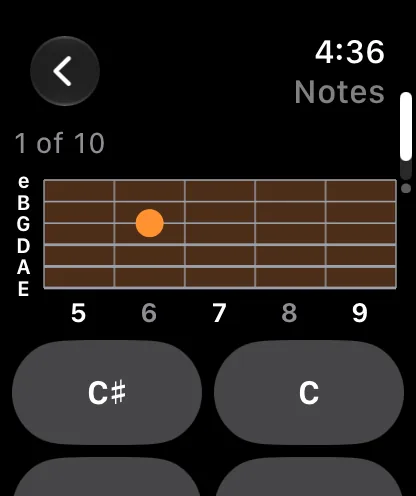
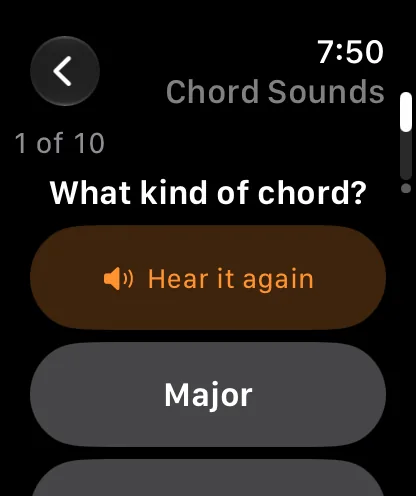
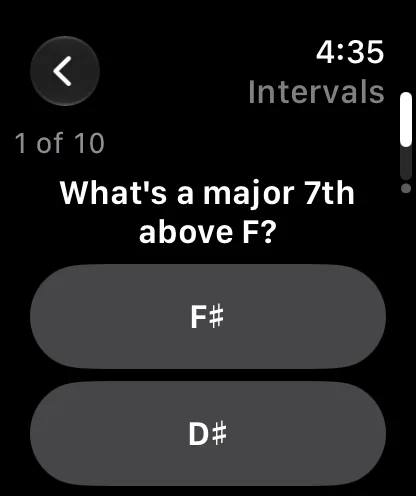
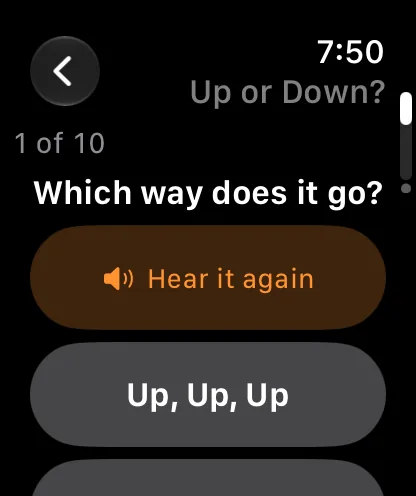
Notes on the neck of your own instrument, intervals, notes in chords, and keys.
Chord Sounds, Name the Interval, Up or Down? and Which Is Bigger? play through the Watch speaker or your headphones.
Choose 5, 10 or 20 questions. A flame grows with every answer in a row.
Quick quizzes arrive as notifications. Answer with a tap, right there. Your reminders are on the Watch too: see them and switch any one on or off.
Prop an iPad on the music stand or practice at your desk with the Mac next to your amp. Plug in an audio interface and pick the input channel your guitar is on.
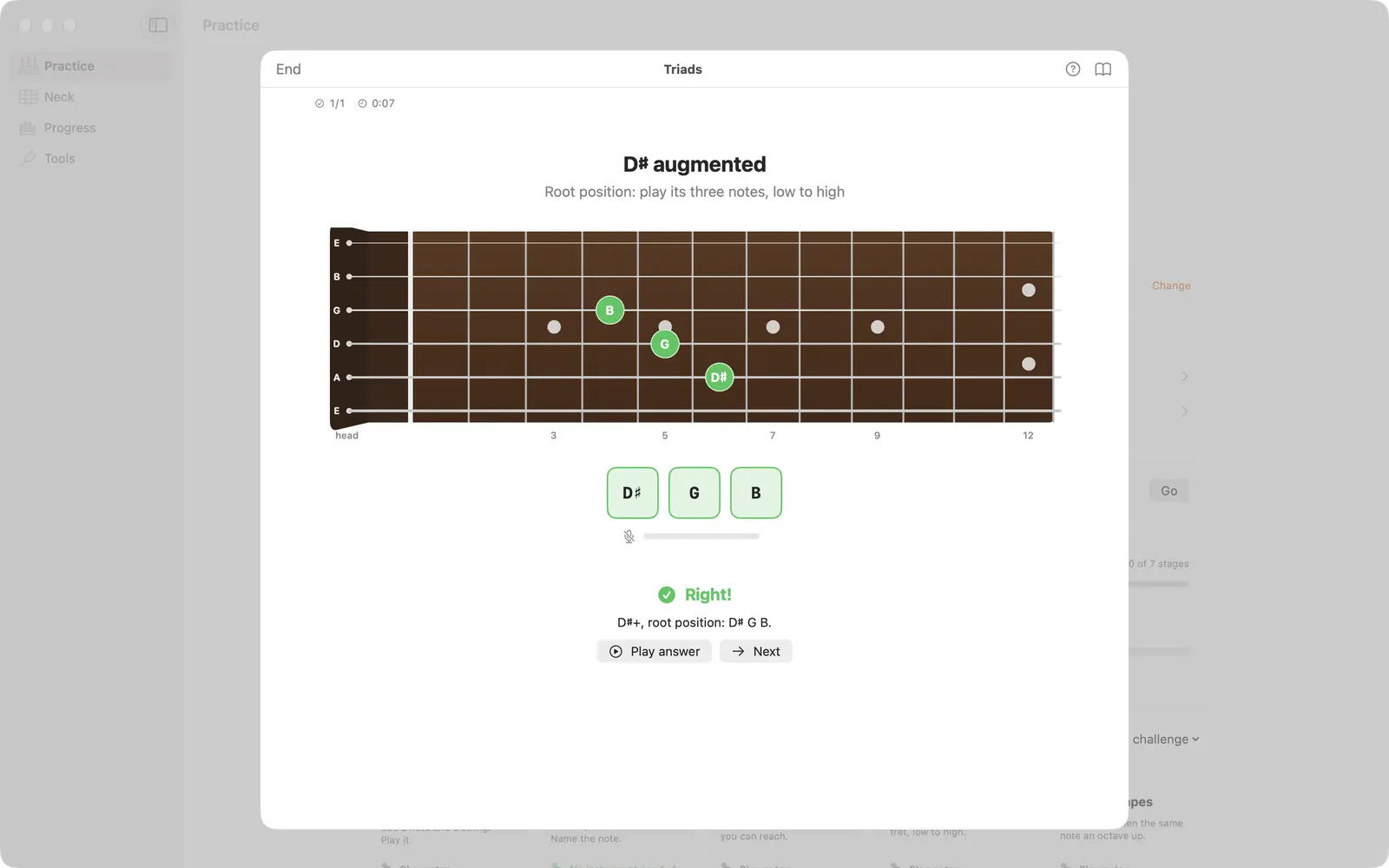
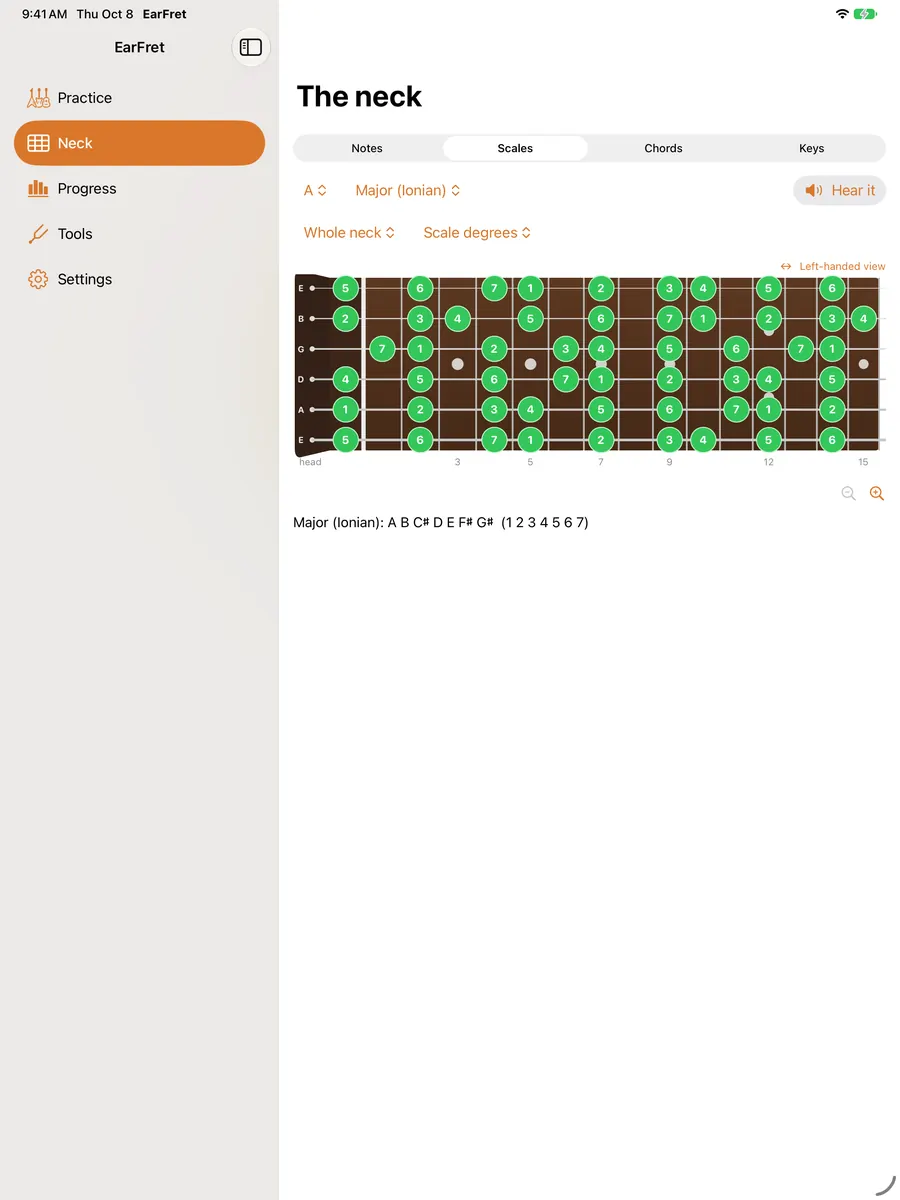
A sidebar on Mac and iPad, a session window on Mac, and a neck that uses all the room you give it.
Use the built-in mic for an acoustic, or go straight in from an interface and choose which input channel EarFret listens to.
Practice on the Mac in the evening and your phone already knows what's due the next morning, through your own iCloud.
Switch to No instrument and every drill that can becomes tap-to-answer: tap the note names or the spot on the neck. The notes you tap still sound, so your ear keeps learning.

See that the practice is working. A daily goal in minutes, a streak that forgives a rest day, mastery by topic, and a weekly report every Monday that leads with what improved. Haven't picked it up by 1 pm? A friendly nudge reminds you, and stays quiet on days you've already practiced.


A complete fretboard trainer for standard-tuned guitar or 4-string bass.
The rest of the ear training, theory and shapes, Listen, reading and rhythm, singing, sharps and flats, every other instrument and tuning, and Riff Recorder without limits, with sharing as text, MusicXML or PDF.
Prices are shown in the app in your local currency.
No. EarFret analyses the sound on your device to work out which notes you played, then discards it. Riff Recorder holds a riff in memory just until its tab is written, then deletes it. Spoken answers in Listen and voice commands are recognised on your device too. No sound is stored or sent anywhere, and there's no account, analytics or tracking. See Security & Privacy for every protection, and the privacy policy for the legal details.
Guitar (6, 7 or 8 strings), bass (4, 5 or 6 strings), ukulele, mandolin, banjo, guitarlele and custom tunings, acoustic or electric, right- or left-handed. You can also sing, or use a MIDI keyboard or MIDI guitar.
iPhone and iPad (iOS and iPadOS 17 or later), Mac (macOS 14 or later), and Apple Watch (watchOS 10 or later) for quick quizzes on your wrist. Widgets work on iPhone, iPad and Mac.
Yes. Plug in your interface and choose which input channel EarFret listens to, so a guitar on input 2 works as well as one on input 1. The built-in microphone works fine for acoustic instruments and amps.
A note slightly off still counts as the fret you played, so practice isn't ruined. If your notes keep coming in flat or sharp, EarFret offers to open the guided tuner. The intonation check tells you whether notes up the neck are in tune, too.
Yes. No instrument mode turns every drill that can into tap-to-answer, and the notes you tap still sound. Listen, the Apple Watch quizzes and notification quizzes need no instrument either.
Yes. Start a Listen programme before you set off and it plays through your headphones or your car's Bluetooth with the screen locked; say your answers out loud, or answer in your head. With iOS 26 or later, EarFret’s Practice and Skills widgets can also sit on your CarPlay dashboard, so your streak and progress are a glance away.
Yes. EarFret Pro is available as a yearly subscription with a free trial, or as a one-time lifetime purchase. Either one covers iPhone, iPad and Mac, and includes Family Sharing.
EarFret launches on the App Store on November 17, 2026. A public TestFlight beta opens before then: join the beta or the waitlist.
Step-by-step answers are on the help page. Something else? Email [email protected] and you'll hear back from a person, usually within a day.
EarFret arrives on the App Store November 17, 2026. Try it early in the public beta, or get one email on launch day.
One email at launch, maybe one when the beta opens. Nothing else.